

Gemini Omni AI 비디오 생성기
Gemini Omni로 정밀하게 제어하고 편집하기 쉬운 HD AI 비디오를 만드세요.
공개 사례
비디오 사례
Explore 갤러리의 공개 비디오 사례입니다.
Create cinematic Kling5 AI videos
Kling5 Image to Video
Turn reference images into smooth Kling 5 videos for product clips, social posts, and visual storytelling.
원본 이미지
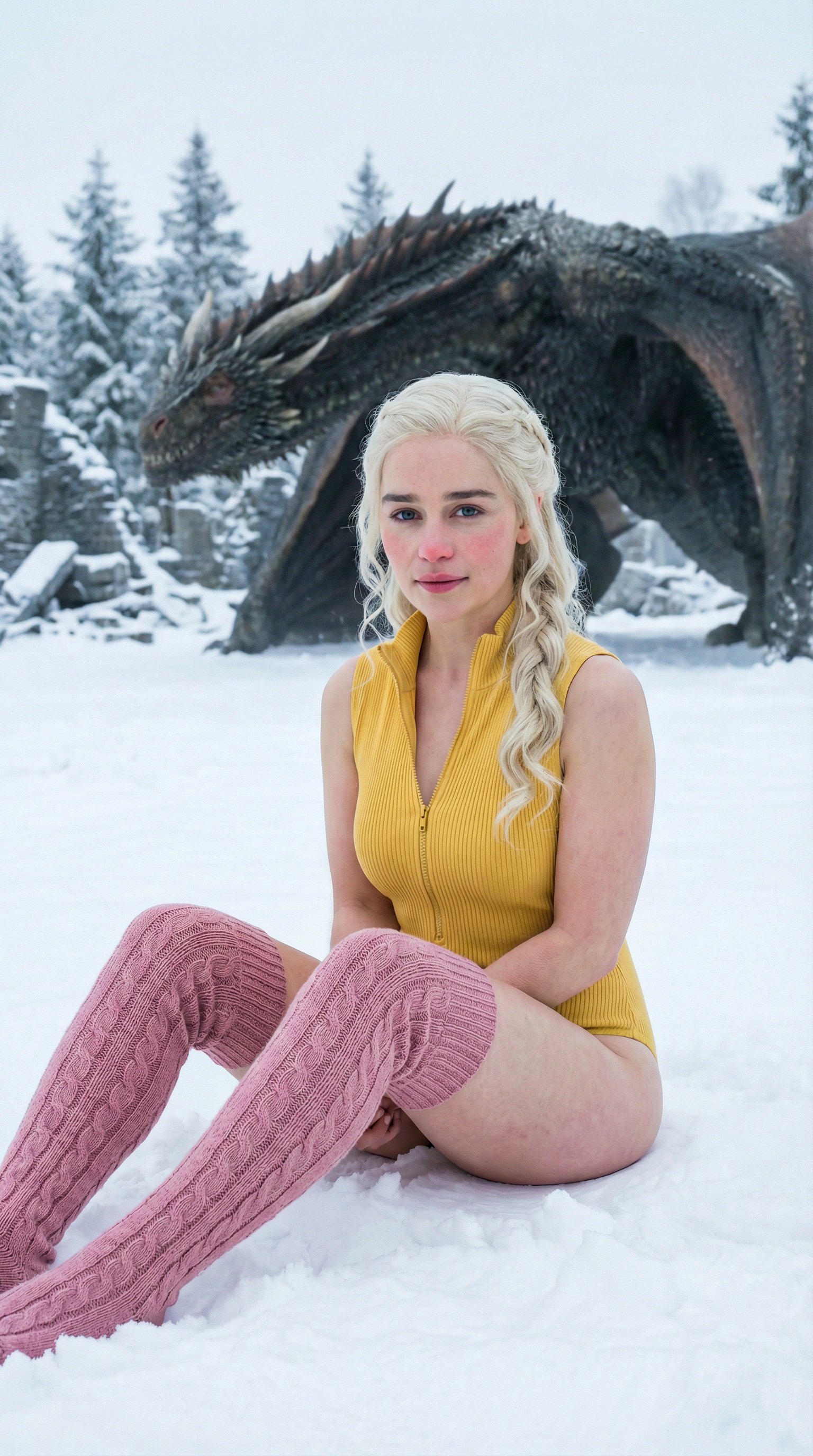
프롬프트
Cinematic winter fashion scene, a confident model sitting on fresh white snow, soft overcast daylight, subtle camera push-in, realistic fabric movement, natural expression, premium editorial style, smooth Kling5 motion.
비디오
원본 이미지
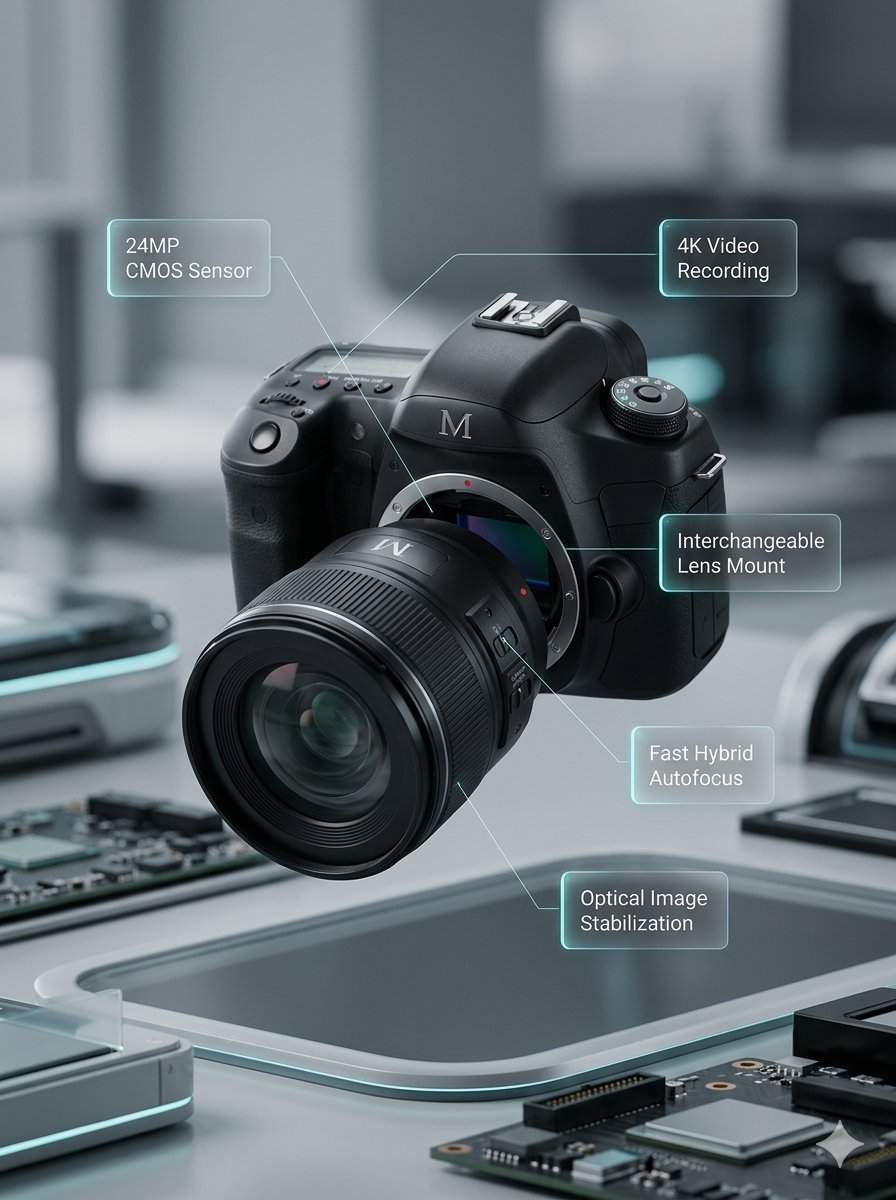
프롬프트
Macro product video of a precision camera lens assembling itself, glass elements sliding into place, clean annotations appearing, smooth mechanical motion, premium technology commercial style.
비디오
원본 이미지
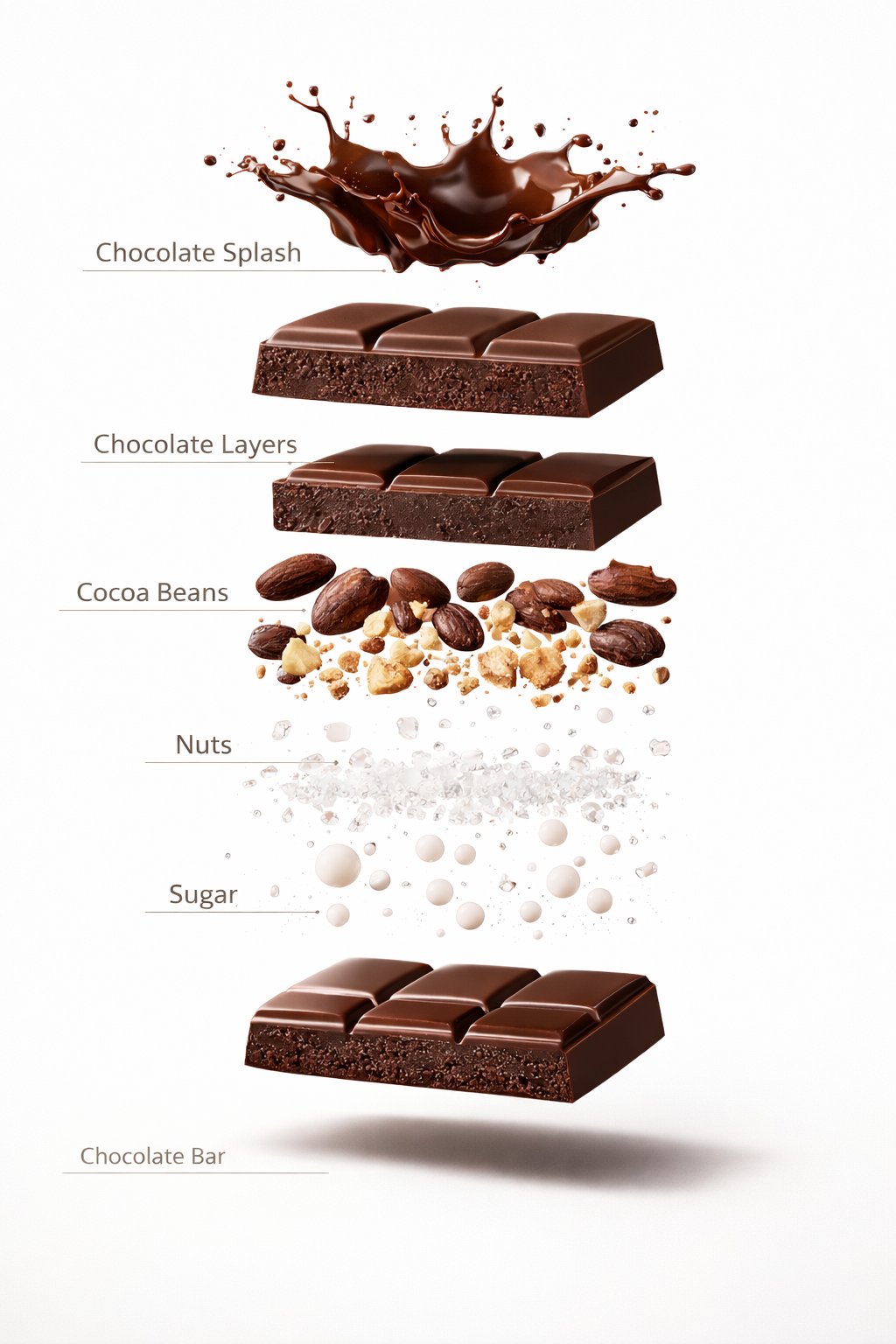
프롬프트
Luxury chocolate bar partially unwrapped on a warm studio background, glossy texture, slow camera move, soft shadows, premium food advertisement style, realistic motion and detail.
비디오
원본 이미지
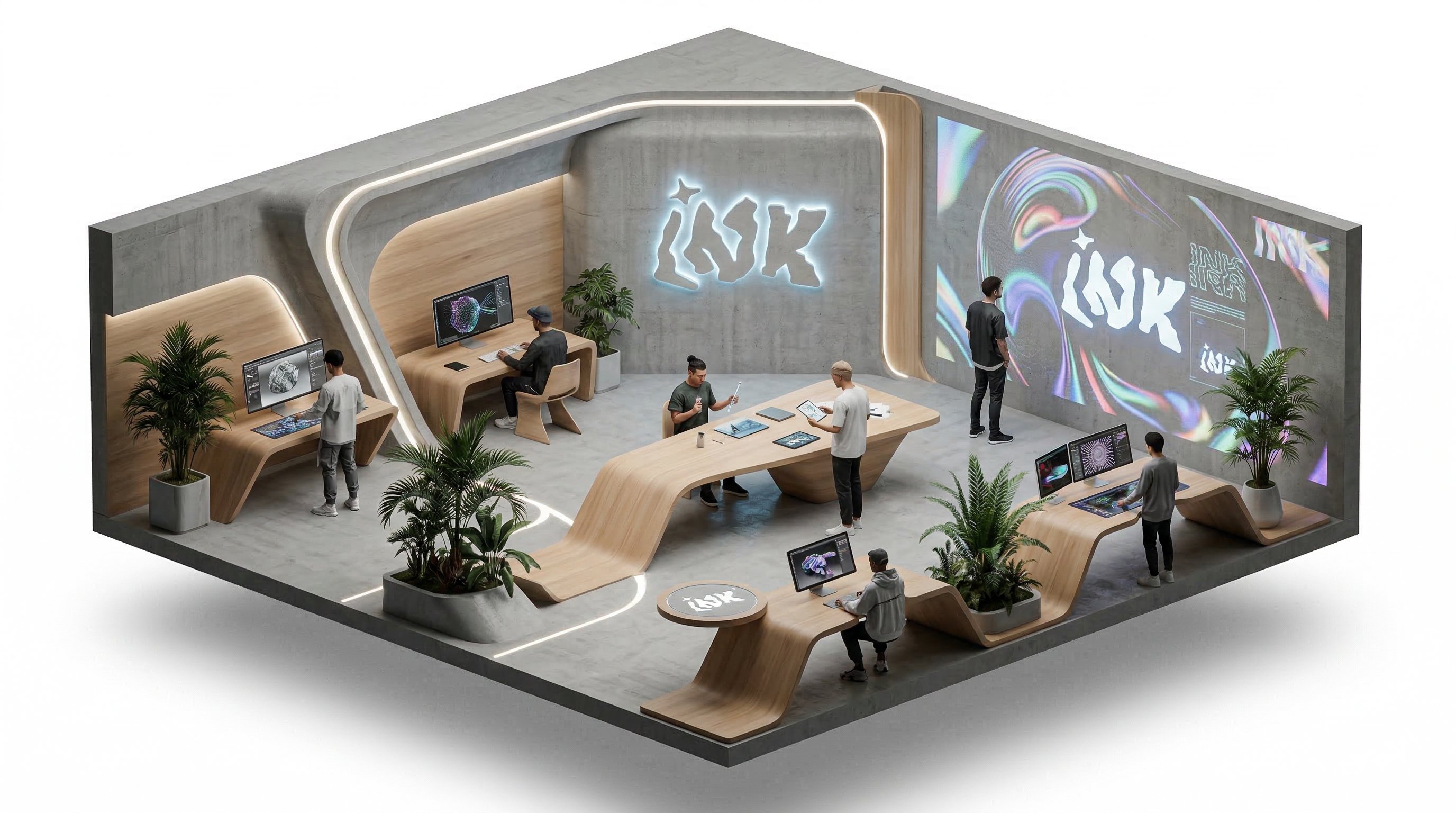
프롬프트
Isometric office team collaborating around a product dashboard, slow camera rotation, subtle character movement, bright modern workspace, clean commercial explainer style.
비디오
Benefits
Why choose Kling5 AI
Kling5 AI keeps the page, examples, generation path, and pricing focused on Kling 5 so creators can move from idea to video with fewer distractions.

Gemini Omni 페이지의 핵심 기능
Gemini Omni의 정밀한 비디오 제어, 비디오 편집, HD 출력, 텍스트-비디오, 이미지-비디오, 레퍼런스-비디오 워크플로를 살펴보세요.
세밀한 비디오 제어
카메라 움직임, 피사체 동작, 타이밍, 전환을 구체적으로 설명해 Gemini Omni의 정밀한 비디오 제어 방향을 잡을 수 있습니다.
비디오 편집 워크플로우
기존 클립 편집, 모션 방향 수정, 첫 생성 이후의 개선 작업에 Gemini Omni를 배치합니다.
HD 출력 계획
Gemini Omni로 마케팅, 제품, 소셜 비디오에 더 선명한 HD 출력을 만들 수 있습니다.
텍스트-비디오
자세한 장면 프롬프트로 피사체, 카메라, 타이밍이 명확한 Gemini Omni 텍스트-비디오 아이디어를 구성하세요.
이미지-비디오
정지 이미지나 제품 시각 자료에서 시작해 주체, 카메라, 환경의 움직임을 설명합니다.
참조-비디오
참고 이미지로 캐릭터, 제품, 스타일, 구도를 정의해 Gemini Omni 출력을 안정적으로 안내하세요.
크리에이터가 Gemini Omni를 비디오 워크플로우에 활용할 방식
주요 니즈는 세밀한 비디오 제어, 편집하기 좋은 출력, 참조 가이드, HD 화질입니다.
카메라 움직임과 편집 리듬을 더 정확히 제어해야 할 때 Gemini Omni를 쓰고 싶습니다.

Mio
숏폼 크리에이터
제품 클립에서는 참조-비디오가 대상과 스타일의 일관성을 유지하는 데 도움이 될 수 있습니다.

Pavel
인디 개발자
교육 영상은 여러 플랫폼에 맞게 잘라도 선명해야 하므로 HD 출력이 중요합니다.

Noah
강의 제작자
캐릭터 일관성은 나중에 고치기 어렵기 때문에 참조 이미지 워크플로우가 가장 중요합니다.

Rika
캐릭터 크리에이터
제품 사진을 짧은 동영상으로 바꾸면 촬영 전에 먼저 확인할 수 있습니다.

Jon
마켓플레이스 판매자
소셜 클립은 한 번 생성하고 끝나는 것이 아니라 두 번째 편집이 필요합니다.

Sara
소셜 미디어 편집자
카메라 움직임과 편집 리듬을 더 정확히 제어해야 할 때 Gemini Omni를 쓰고 싶습니다.
Mio
숏폼 크리에이터
제품 클립에서는 참조-비디오가 대상과 스타일의 일관성을 유지하는 데 도움이 될 수 있습니다.
Pavel
인디 개발자
교육 영상은 여러 플랫폼에 맞게 잘라도 선명해야 하므로 HD 출력이 중요합니다.
Noah
강의 제작자
캐릭터 일관성은 나중에 고치기 어렵기 때문에 참조 이미지 워크플로우가 가장 중요합니다.
Rika
캐릭터 크리에이터
제품 사진을 짧은 동영상으로 바꾸면 촬영 전에 먼저 확인할 수 있습니다.
Jon
마켓플레이스 판매자
소셜 클립은 한 번 생성하고 끝나는 것이 아니라 두 번째 편집이 필요합니다.
Sara
소셜 미디어 편집자
카메라 움직임과 편집 리듬을 더 정확히 제어해야 할 때 Gemini Omni를 쓰고 싶습니다.
Mio
숏폼 크리에이터
교육 영상은 여러 플랫폼에 맞게 잘라도 선명해야 하므로 HD 출력이 중요합니다.
Noah
강의 제작자
제품 사진을 짧은 동영상으로 바꾸면 촬영 전에 먼저 확인할 수 있습니다.
Jon
마켓플레이스 판매자
카메라 움직임과 편집 리듬을 더 정확히 제어해야 할 때 Gemini Omni를 쓰고 싶습니다.
Mio
숏폼 크리에이터
교육 영상은 여러 플랫폼에 맞게 잘라도 선명해야 하므로 HD 출력이 중요합니다.
Noah
강의 제작자
제품 사진을 짧은 동영상으로 바꾸면 촬영 전에 먼저 확인할 수 있습니다.
Jon
마켓플레이스 판매자
제품 클립에서는 참조-비디오가 대상과 스타일의 일관성을 유지하는 데 도움이 될 수 있습니다.
Pavel
인디 개발자
캐릭터 일관성은 나중에 고치기 어렵기 때문에 참조 이미지 워크플로우가 가장 중요합니다.
Rika
캐릭터 크리에이터
소셜 클립은 한 번 생성하고 끝나는 것이 아니라 두 번째 편집이 필요합니다.
Sara
소셜 미디어 편집자
제품 클립에서는 참조-비디오가 대상과 스타일의 일관성을 유지하는 데 도움이 될 수 있습니다.
Pavel
인디 개발자
캐릭터 일관성은 나중에 고치기 어렵기 때문에 참조 이미지 워크플로우가 가장 중요합니다.
Rika
캐릭터 크리에이터
소셜 클립은 한 번 생성하고 끝나는 것이 아니라 두 번째 편집이 필요합니다.
Sara
소셜 미디어 편집자
카메라 움직임과 편집 리듬을 더 정확히 제어해야 할 때 Gemini Omni를 쓰고 싶습니다.
Mio
숏폼 크리에이터
캐릭터 일관성은 나중에 고치기 어렵기 때문에 참조 이미지 워크플로우가 가장 중요합니다.
Rika
캐릭터 크리에이터
카메라 움직임과 편집 리듬을 더 정확히 제어해야 할 때 Gemini Omni를 쓰고 싶습니다.
Mio
숏폼 크리에이터
캐릭터 일관성은 나중에 고치기 어렵기 때문에 참조 이미지 워크플로우가 가장 중요합니다.
Rika
캐릭터 크리에이터
제품 클립에서는 참조-비디오가 대상과 스타일의 일관성을 유지하는 데 도움이 될 수 있습니다.
Pavel
인디 개발자
제품 사진을 짧은 동영상으로 바꾸면 촬영 전에 먼저 확인할 수 있습니다.
Jon
마켓플레이스 판매자
제품 클립에서는 참조-비디오가 대상과 스타일의 일관성을 유지하는 데 도움이 될 수 있습니다.
Pavel
인디 개발자
제품 사진을 짧은 동영상으로 바꾸면 촬영 전에 먼저 확인할 수 있습니다.
Jon
마켓플레이스 판매자
교육 영상은 여러 플랫폼에 맞게 잘라도 선명해야 하므로 HD 출력이 중요합니다.
Noah
강의 제작자
소셜 클립은 한 번 생성하고 끝나는 것이 아니라 두 번째 편집이 필요합니다.
Sara
소셜 미디어 편집자
교육 영상은 여러 플랫폼에 맞게 잘라도 선명해야 하므로 HD 출력이 중요합니다.
Noah
강의 제작자
소셜 클립은 한 번 생성하고 끝나는 것이 아니라 두 번째 편집이 필요합니다.
Sara
소셜 미디어 편집자
Creator Updates
What creators are sharing about Gemini Omni
Fresh X posts around Gemini Omni, covering official rollout details, conversational video editing, multimodal inputs, and hands-on creator reactions.
SP
Sundar Pichai
@sundarpichai
Sundar Pichai introduced Gemini Omni as a model that can create video from any input, combining Gemini intelligence with generative media models.
OfficialVideo
@sundarpichaiOpen post
G
Google showed conversational video editing with Gemini Omni, including changes to action, viewpoint, and lighting across multiple turns.
Video EditingOfficial
@GoogleOpen post
GA
Gemini App
@GeminiApp
Gemini App framed Omni as a paid-subscriber workflow where users can attach text, images, and videos, then reshape footage directly in conversation.
Gemini AppWorkflow
@GeminiAppOpen post
DH
Demis Hassabis
@demishassabis
Demis Hassabis described Gemini Omni as a step forward in world understanding and multimodal editing across photos, video, and audio.
MultimodalDeepMind
@demishassabisOpen post
JM
Justine Moore
@venturetwins
Justine Moore shared hands-on tests, highlighting stronger character consistency, world knowledge, and editing for video generation workflows.
Creator TestEditing
@venturetwinsOpen post
AR
Ammaar Reshi
@ammaar
Ammaar Reshi summarized the creator-facing gains: character consistency, text-to-video editing, dynamic physics, and responsive environments.
Creator ReviewPhysics
@ammaarOpen post
FAQ
Gemini Omni 자주 묻는 질문
Gemini Omni의 비디오 생성 모드, 정밀 제어, 편집 워크플로, HD 출력에 관한 질문입니다.
질문이 있나요? support@ai-studio.video 로 이메일을 보내세요.
Gemini Omni로 어떤 비디오를 만들 수 있나요?
+
Gemini Omni는 텍스트-비디오, 이미지-비디오, 레퍼런스-비디오 같은 AI 비디오 워크플로를 위해 설계되었습니다.
Gemini Omni가 크리에이터에게 유용한 이유는 무엇인가요?
+
Gemini Omni는 정밀한 비디오 제어, 편집하기 쉬운 출력, 참고 이미지 가이드, HD 품질에 초점을 둡니다.
어떤 워크플로우를 준비하나요?
+
텍스트-비디오, 이미지-비디오, 참조-비디오, 비디오 편집, 세밀한 제어, HD 출력입니다.
Gemini Omni는 비디오 편집을 어떻게 지원하나요?
+
Gemini Omni는 첫 초안 이후 움직임, 참고 일관성, 속도감, 품질을 다듬어야 하는 비디오 작업에 적합합니다.
Explore가 더 넓은 AI 비디오 예시를 보여주는 이유는 무엇인가요?
+
더 넓은 갤러리는 Gemini Omni 비디오를 만들기 전에 움직임, 구도, 참고 이미지, 프롬프트 구조를 비교하는 데 도움이 됩니다.
요금
멤버십을 구독하면 모든 비디오 모델과 이미지 모델을 잠금 해제하고 더 많은 서비스를 이용할 수 있습니다.
Starter
$29 USD
$14.2 USD / 월
기본 400 크레딧+하루 5 보상 크레딧
연간 청구: US$169 USD / 년
1년치 영상 및 이미지 생성용 크레딧을 미리 확보해 더 절약하세요.
포함
- 월 최대 550 크레딧
- 총 최대 150 보상 크레딧 수령 가능
- 최대 137개 동영상
- 최대 550개 이미지
- 3개 동시 작업 지원
인기
Standard
$58 USD
$28.25 USD / 월
기본 800 크레딧+보너스 200 크레딧+하루 8 보상 크레딧
연간 청구: US$339 USD / 년
정기적인 영상 및 이미지 생성에 적합한 균형형 플랜입니다.
포함
- 월 최대 1240 크레딧
- 총 최대 240 보상 크레딧 수령 가능
- 최대 310개 동영상
- 최대 1240개 이미지
- 5개 동시 작업 지원
Premium
$139 USD
$71.33 USD / 월
기본 2000 크레딧+보너스 1200 크레딧+하루 20 보상 크레딧
연간 청구: US$856 USD / 년
팀과 고강도 영상·이미지 워크플로에 가장 적합합니다.
포함
- 월 최대 3800 크레딧
- 총 최대 600 보상 크레딧 수령 가능
- 최대 950개 동영상
- 최대 3800개 이미지
- 무제한 동시 작업 지원
